GO Companion App Icon
GO Companion
Raids & Events

Creator Partnership Info 🀝

Thanks for your interest in partnering with GO Companion! This page has everything you need to know about the app and what a collaboration looks like.

About the App

What is GO Companion?

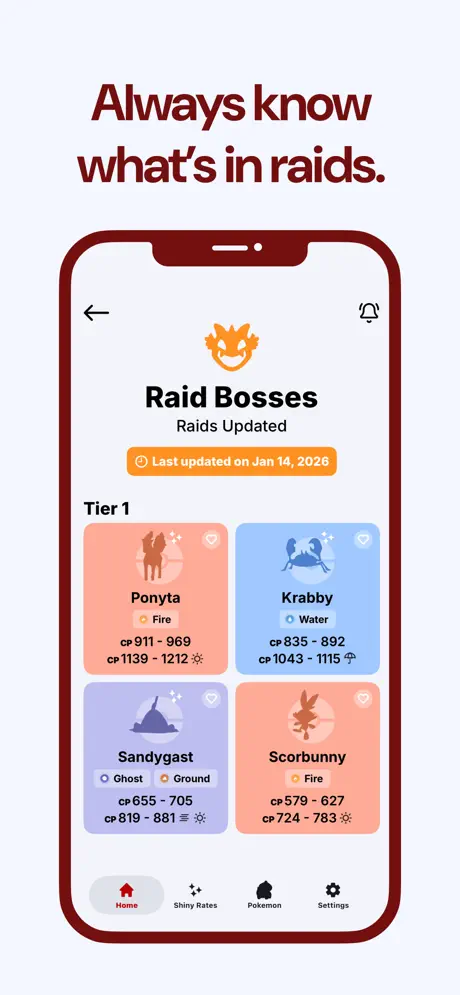
GO Companion is an iOS app that keeps PokΓ©mon GO trainers in the loop with everything happening in the game β€” raids, Team Rocket lineups, field research, eggs, events, shiny rates, and promo codes. The key difference from sites like LeekDuck? Notifications. Users get alerted the instant things change.

🍎 Download on the App Store

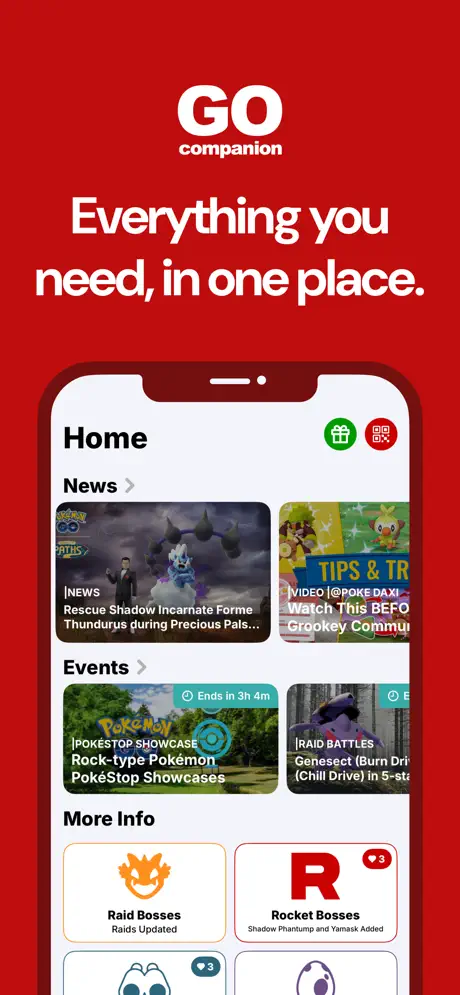
App Preview

Scroll to see different screens
Home
Home
Raids
Raids
Shiny Rates
Shiny Rates
Trainer QR
Trainer QR
Promos
Promos
Key Features

Key Features

What makes GO Companion stand out

πŸ””
Instant Notifications
Get alerted the second new raid bosses drop, events change, or promos go live
❀️
Favorite PokΓ©mon
Heart your favorites and get personalized alerts when they appear in raids, eggs, or research
✨
Shiny Rates
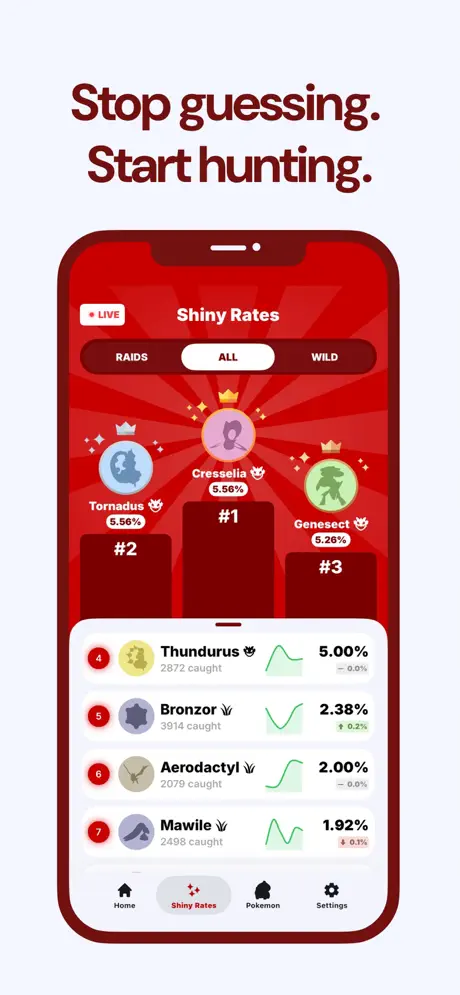
See exact shiny odds for wild spawns and raid encounters so you know where to focus
πŸ“±
Trainer QR
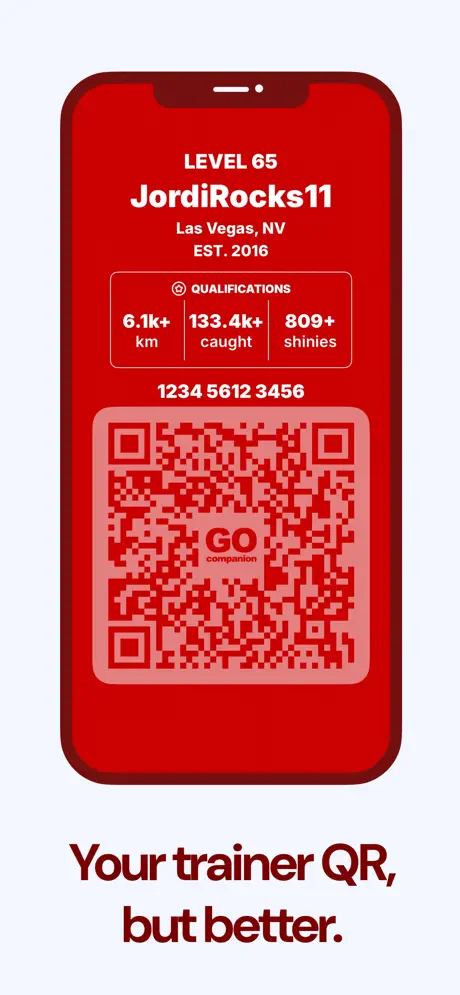
Create a custom styled QR code for adding friends instead of the boring default one
🎁
Promo Codes
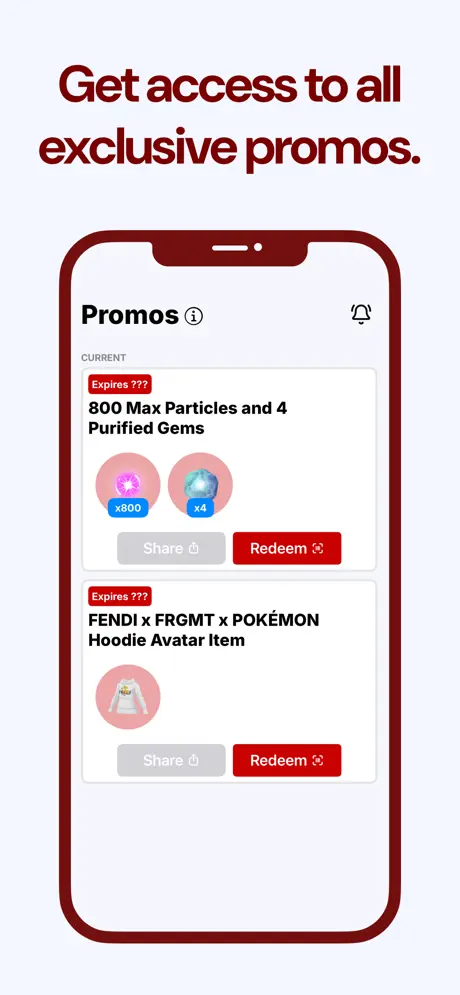
All freebies in one place with alerts for new codes the moment they drop
πŸ“°
News & Videos
Official articles and YouTube content aggregated with notifications

πŸ€” Why GO Companion vs LeekDuck?

LeekDuck is awesome, but the big difference is notifications. With LeekDuck you have to check for updates yourself, while GO Companion notifies you the second changes happen.

GO Companion also shows live shiny rates for both raid encounters and wild floor spawns β€” something LeekDuck doesn't offer. Know exactly where to focus your shiny hunting efforts!

Plus, since it's an app, it's way more convenient than checking a website β€” just like how you probably use your bank's app instead of their website on your phone.

πŸ“– The Story Behind It

I actually started as a LeekDuck user myself, but kept wishing it had certain features. I learned to build apps in school, so I decided to just... build what I always wanted. And here we are! πŸš€

What a Collab Looks Like

Content Guidelines

⏱️ Integration Length

30-60 seconds, naturally integrated into your usual style of content

πŸ“ Placement

Show the app within the first 5-10 seconds of the video

πŸ’‘ Suggested Talking Points
1Discuss an upcoming event that has hype around it
2Show how to check raid bosses or shiny rates
3Mention the notification feature that alerts you instantly
4Highlight the promo codes section for free items
πŸ’¬ Comment Engagement Important!

Responding to comments early really helps! Here's what to look for:

"What's the app called?"
β†’ Reply with "GO Companion" and pin this comment if possible!
"Is it on Android?"
β†’ Reply with "Only on iOS right now!"
"Is it free?"
β†’ Reply with "Yes, it's free with optional premium features!"
πŸ“ Assets

App clips, screenshots, and everything you might need for your content:

πŸ“‚
Open Asset Folder
Google Drive β€’ Screenshots, clips, logos
β†’
🎬 Example Integrations

Scroll through real examples of the style we're looking for.

Your Free Premium

πŸ‘‘ Your Free Premium

As a creator partner, you get free premium access

Here's how to activate your free premium access:
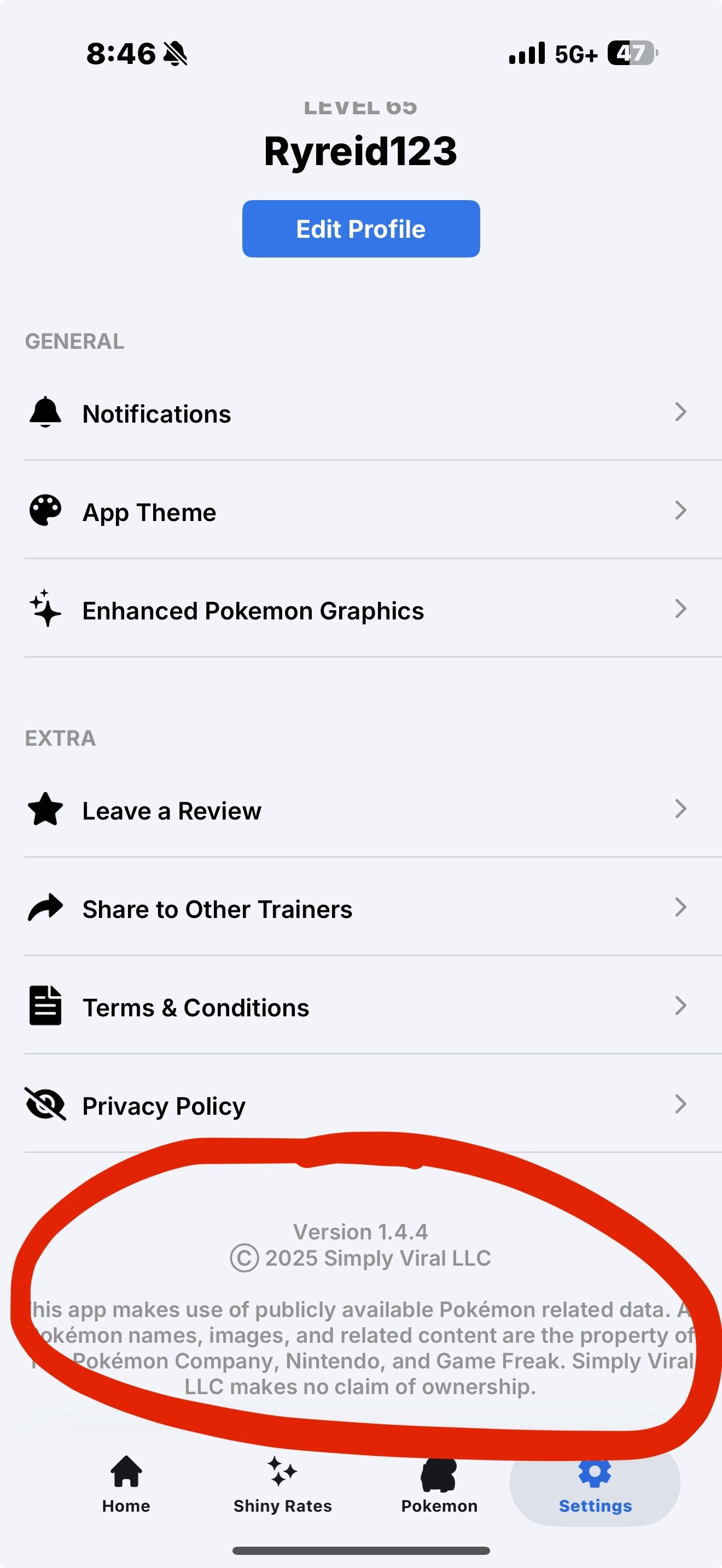
1Open GO Companion and go to the Settings tab
2Tap and hold on the area shown in the screenshot below until your UUID is copied to your clipboard
3Message me with the UUID that was copied β€” I'll activate your free premium within 24 hours!
4Once activated, turn on "Enhanced Graphics" to show the PokΓ©mon renderings instead of silhouettes in your videos. This feature is only available for influencers at the moment.
Where to tap and hold in Settings
Enhanced Graphics setting